Split options
Next to barcode recognition, splitting is the most important job of BarcodeOCR: a large scan batch is split into individual documents, and the recognized barcodes act as split marks. In this step you define the rules for this, and with them which output documents are created.
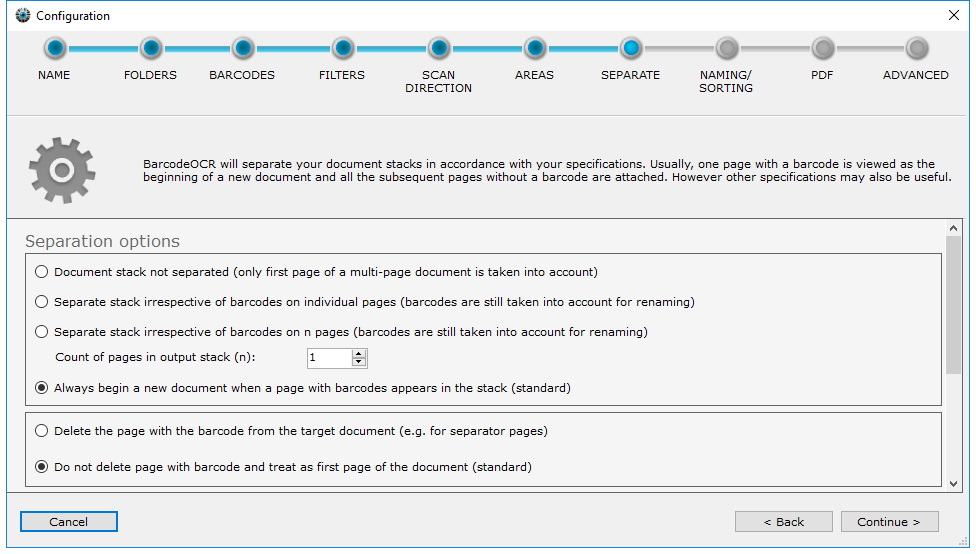
The options build on each other. First you choose the basic split behavior. Only if you choose "Always begin a new document when a page with barcodes appears in the stack" are the other settings available.
Split behavior
BarcodeOCR only looks at the first page and does not split the document.
Every page becomes a separate document, whether or not it has a barcode. The individual documents are still named after the barcodes.
The batch is split after a fixed number of pages. The partial batches are named after the barcodes.
Every page with a barcode starts a new document. You define exceptions in the following sections.
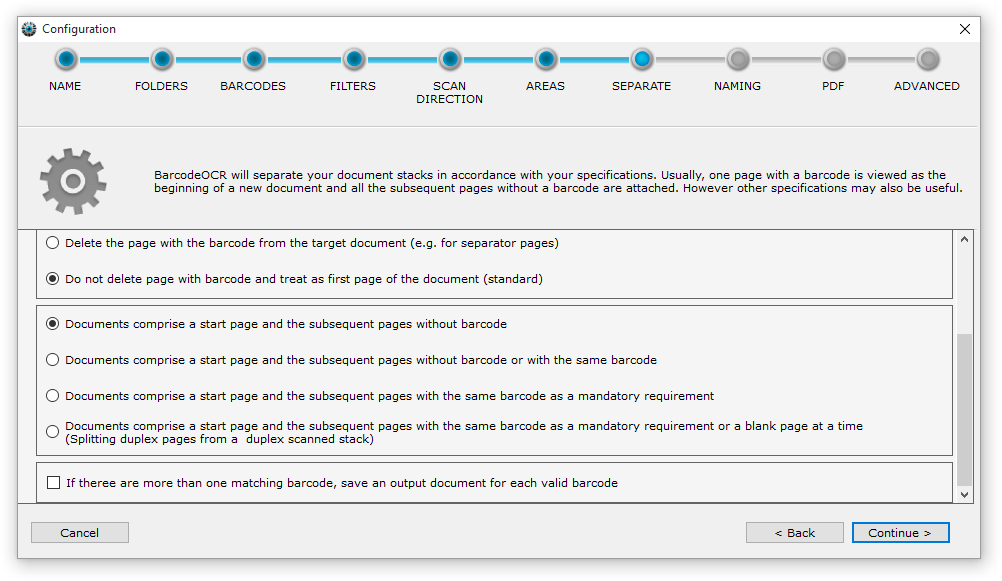
Page with the barcode
Only available with "Always begin a new document when a page with barcodes appears in the stack".
The default. The page with the barcode stays in the document.
The page with the barcode is treated as a separator sheet and is not included.
Stack type
Only available with "Always begin a new document when a page with barcodes appears in the stack".
A page with a barcode starts a new document. All following pages without a barcode are attached. The next page with a different barcode starts the next document.
As above, but following pages with the same barcode as the start page are attached as well.
Only directly following pages with the same barcode are attached. The next page with a different barcode starts a new document. Following pages without a barcode go to the error folder.
For batches from a duplex scanner. Two consecutive blank pages go to the error folder. At least one matching barcode must appear on any two consecutive pages.
Multiple matching barcodes on one page
For every barcode that remains after the filters are applied, BarcodeOCR creates a separate file in the output folder.